
I’m writing this from the ski slopes in Colorado. Sometimes you need to step away, and one of the things I’m most proud of at Boulder SEO Marketing is building a team that can run without me hovering over every detail.
Harold De Guzman, our Marketing Director, stepped in to record this week’s AI SEO Tip. What he shared is something we use constantly for my LinkedIn presence, and honestly, it’s one of those tools that makes you wonder why you ever did things manually.
So let me hand this over to Harold’s methodology. Watch the video above to learn more.
Why LinkedIn Carousels Outperform Text Posts
Here’s the thing about LinkedIn in 2026: people are drowning in content. Long text blocks get scrolled past. You might have the most valuable insight in the world, but if it’s buried in a wall of paragraphs, nobody’s stopping to read it.
Carousels change that dynamic completely. They’re visual. They’re scannable. They give people a reason to swipe, which means more time spent on your content. From an engagement standpoint, that matters for the algorithm. From a brand-building standpoint, it makes your ideas memorable.
The problem has always been creation time. Designing a good carousel used to require a graphic designer’s hours in Canva, trying to make things look professional. That’s where Gamma comes in.
What Is Gamma?
Gamma is an AI-powered presentation and content creation tool. You can find it at gamma.app. While it handles presentations, web pages, and documents, Harold’s primary use case is what I want to focus on: LinkedIn carousel posts.
The core functionality is simple. You give Gamma content, either by pasting text, importing a URL, or uploading a file, and it generates a multi-slide visual output. You control the styling, the number of slides, the image sources, and the layout. Then you export as a PDF and upload directly to LinkedIn.
What used to take hours now takes minutes.
The Step-by-Step Process
Let me walk through exactly how Harold does this. This is the same workflow we use for my personal LinkedIn account.
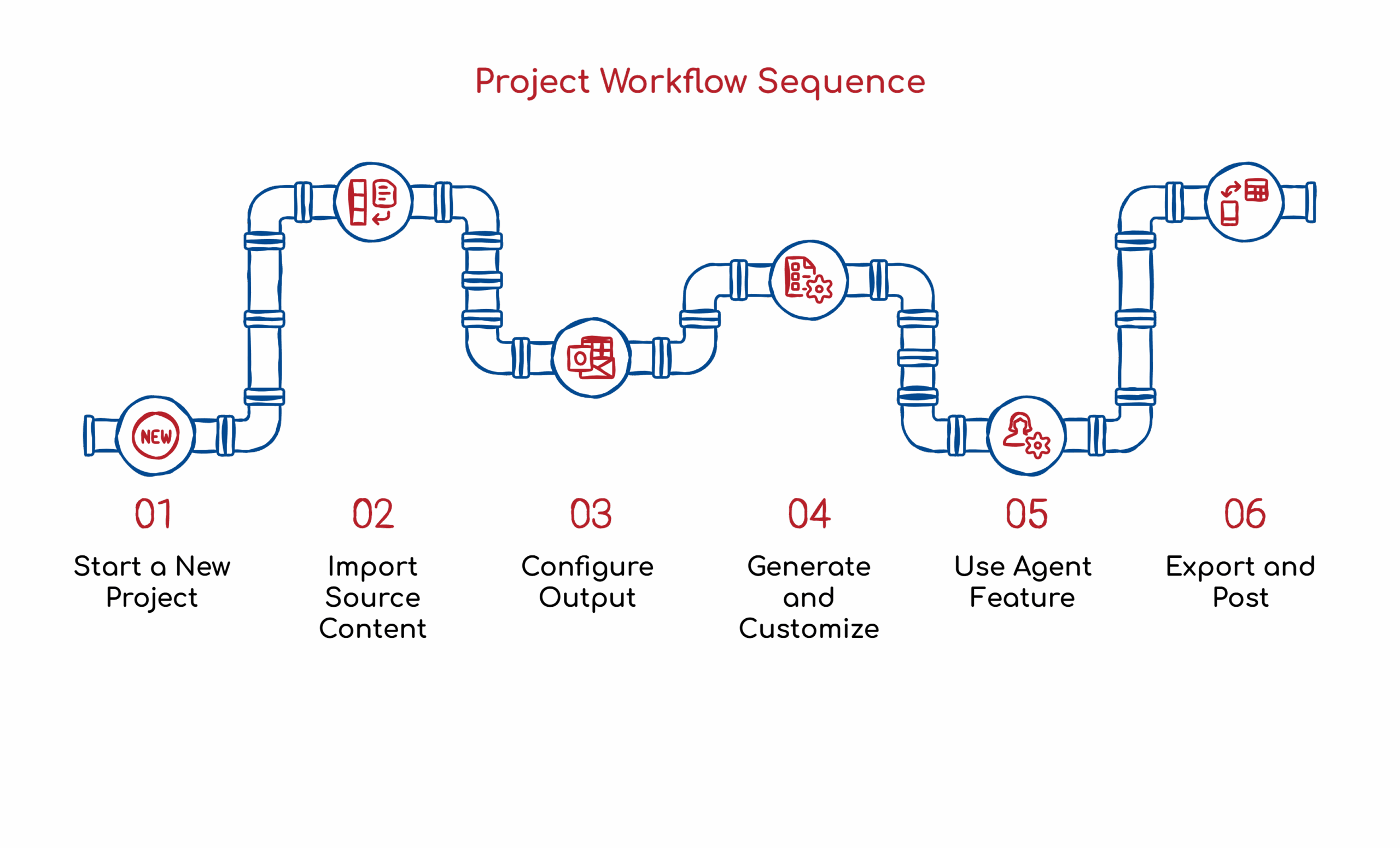
Step 1: Start a New Project
Inside Gamma, you’ll see options for Home, Templates, and Gallery. You can also create custom themes for your company branding. Click “Create New” to start fresh.
You get several input options: generate from scratch, paste in text, or import from a URL/file. For repurposing existing content, which is what we do most often, the URL import is the fastest path.
Step 2: Import Your Source Content
Here’s where it gets interesting. Say you have a blog post you want to turn into a carousel. Copy the URL, select “Import from URL,” paste it, then click Import.
Gamma’s AI analyzes content and automatically extracts key points. This is the same principle behind our Universal Content Engine methodology. One piece of content becomes the foundation for multiple assets across multiple platforms.
Step 3: Configure the Output
After importing, select “Social” as your format and “LinkedIn Carousel Post” as the specific type.
Now you’re in the configuration screen where you make the real decisions:
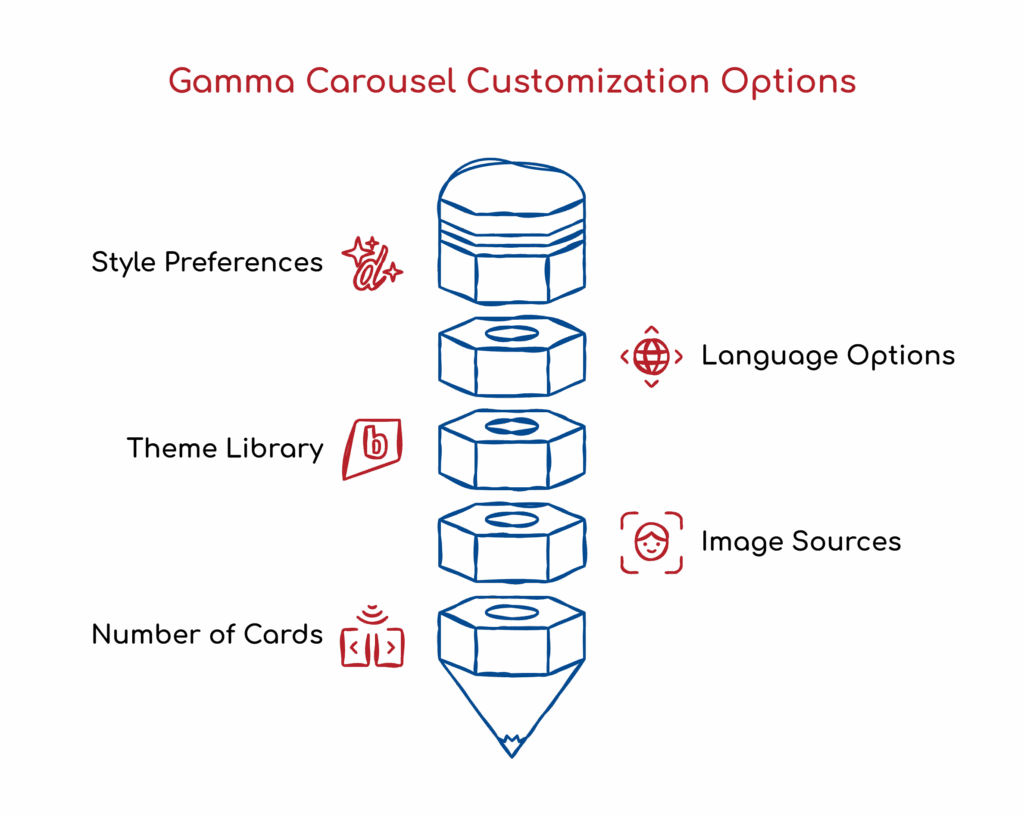
- Style preferences: Harold prefers minimal. I agree. Clean designs don’t compete with your message.
- Language: This is something many people overlook. Gamma can generate carousels in different languages. If you’re targeting international audiences, this is massive. I work with clients across Europe, Asia, and North America. The ability to repurpose content into multiple languages with a few clicks? That used to require translation teams.
- Themes: There’s a library of pre-built themes. Pick one that aligns with your brand, or create your own.
- Image sources: Choose between stock photos, web images, or AI-generated images. Harold uses AI images exclusively and specifically recommends Nano Banana Pro as the generative model. In his words, it’s the best image generation tool available right now. You can also set the art style to realistic photos, abstract graphics, 3D renders, or line art.
- Number of cards: Gamma asks how many slides you want. Eight slides are a good starting point for most LinkedIn carousels. Enough to develop an idea without losing people’s attention.
Step 4: Generate and Customize
Hit generate and watch it work. Within seconds, Gamma produces a full carousel with images, headings, and content pulled from your source material.
Here’s what separates this from basic automation: you retain complete control over the output. Every card can be customized individually.
Layout options include:
- Left-aligned
- Right-aligned
- Top layout
- Full-bleed cards
- Smart layouts
- Box formats
You can change heading colors to match your brand. You can swap images, adjust text, and restructure content as needed.
Step 5: Use the Agent Feature
This is a newer addition to Gamma, and it’s worth understanding. The Agent is essentially an AI assistant built into the tool. Instead of manually editing each slide, you can type natural language commands.
- “Add one more card that talks about sleep statistics.”
- “Change the content on slide 6.”
- “Make the color scheme warmer.”
The better your prompting, the better your output. Garbage in, garbage out. That principle applies to every AI tool, and Gamma is no exception.
Step 6: Export and Post
Once you’re satisfied with the carousel, click Share, then Export. Your options are PDF, PowerPoint, or Google Slides.
For LinkedIn, Harold uses PDF or PowerPoint. Here’s the posting workflow:
- Go to LinkedIn
- Click “Start Post”
- Click “More”
- Select “Add Document”
- Choose your file, and upload.
- Add a title, write your post copy, and publish.
That’s it. A professional, visually engaging carousel created in minutes, not hours.
Real Examples from My LinkedIn
If you want to see this in action, look at my LinkedIn profile. The DigiMarCon Denver presentation carousel? That was created with Gamma. Harold adds our branding elements, and the final output looks like something a design team spent days on.
The point isn’t that AI replaces design skill. It’s that AI removes the bottleneck so you can actually publish content consistently. I’ve been preaching this for years: the best SEO strategy in the world fails if you can’t execute it. Tools like Gamma dramatically lower the execution barrier.
Why This Matters for SEO and GEO
Some people hear “LinkedIn carousel” and think this is purely a social media tactic. They’re missing the bigger picture.
LinkedIn content contributes to your E-E-A-T signals. Experience, Expertise, Authoritativeness, Trustworthiness. When you consistently publish valuable content that drives engagement, you’re building the kind of online presence that both traditional search engines and AI platforms recognize.
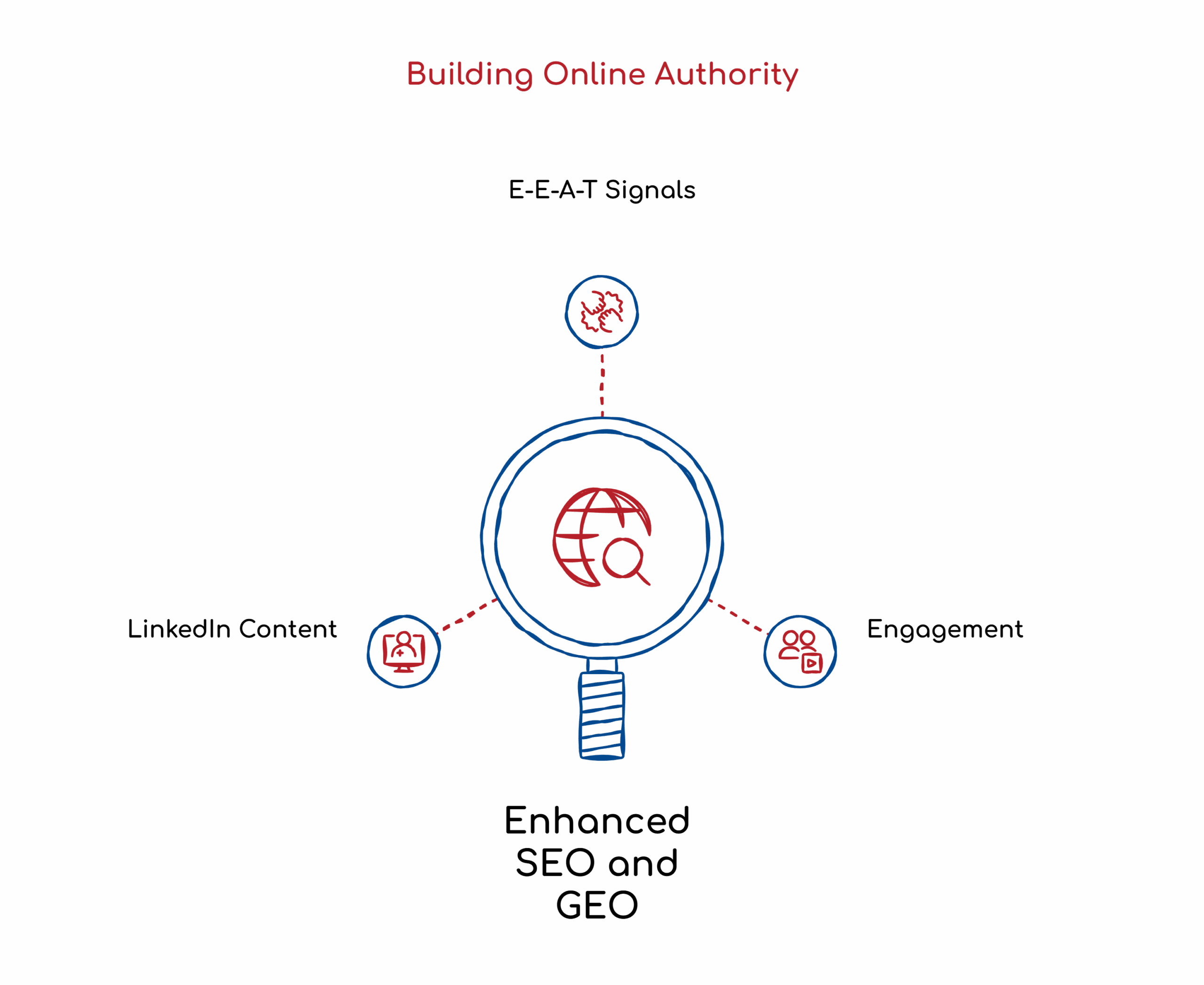
Google indexes LinkedIn heavily. Profile links function as active backlinks. Your LinkedIn activity directly influences how you appear in search results. And as we shift toward Generative Engine Optimization, platforms like ChatGPT, Perplexity, and Google’s AI Overviews are pulling from sources that demonstrate real expertise. Consistent, high-quality LinkedIn content contributes to that.
This isn’t about vanity metrics. It’s about building the digital footprint that positions you as a credible source.
The Bigger Framework
Gamma fits into our broader content distribution system. We call it the Universal Content Engine. The idea is straightforward: create one high-value piece of content, whether that’s a blog post, webinar, podcast, or interview, and systematically transform it into assets for every platform.
A single sales call transcript becomes a blog post, social media content, email sequences, and LinkedIn carousels. We use automation tools such as N8N and Trello to manage workflows. Gamma handles the visual transformation piece.
This is human-driven, AI-assisted content creation in practice. The strategy comes from expertise. The execution gets accelerated by technology. You maintain control over quality and voice while dramatically increasing output.
Next Steps
If you haven’t tried Gamma yet, go to gamma.app and experiment. The free tier gives you enough to understand the workflow. Import one of your existing blog posts and see what it generates.
And if you want to see more examples of how we’re using AI tools for content creation, subscribe to the AI SEO Tip series on my YouTube channel. Harold and I are constantly testing new tools and sharing what actually works.
Stay safe and healthy. I’ll be back from the slopes next week.
Cheers,
Chris