
Harold De Guzman, our Head of Marketing at Boulder SEO Marketing, just showed me something remarkable, and I pulled him into this tip on zero notice because you need to see this.
ChatGPT now offers a new image-editing feature. Not new image generation. Selective editing.
Here’s why that matters.
We’ve talked about Nano Banana before. Google’s image creation tool. Great for generating infographics and visuals from text. But here’s the problem. If you create an image and want to change one element, you’re regenerating the whole thing. Starting over. Hoping the new version keeps what you liked while fixing what you didn’t.
That’s not editing. That’s gambling.
ChatGPT’s approach is different. You generate your image, then select the specific area you want to change. Type your edit. Only that area updates. The rest stays intact.
Think about what that means for marketing teams producing branded content at scale.
The Old Way vs. The New Way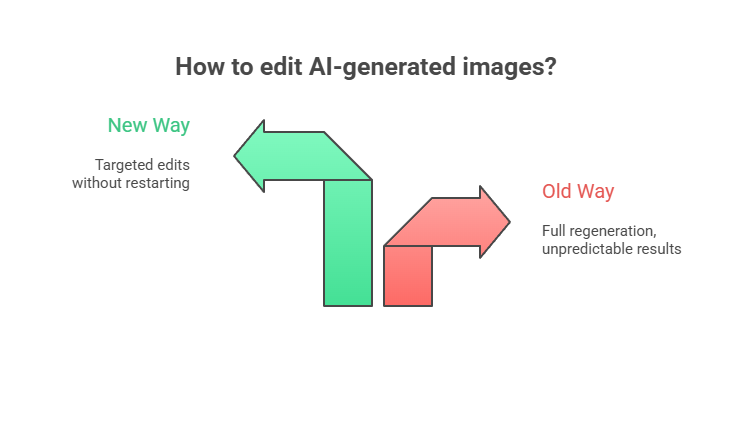
Let’s say you create a LinkedIn banner. Your company name, a tagline, a headshot, or a visual element. You generate it, it looks great, but wait. The tagline has a typo. Or the marketing team decided to change the campaign name. Or the VP wants the color scheme tweaked.
Old way? Regenerate. Hope you get something similar. Spend 20 minutes trying to prompt your way back to what you had, but slightly different.
New way? Select the text. Type the correction. Done.
That’s not a minor improvement. That’s a fundamental shift in how AI image creation becomes actually usable for real marketing workflows.
What Harold Demonstrated
In this week’s AI SEO Tip, Harold walked through the feature live. He’d generated a LinkedIn banner with “Boulder SEO Marketing” as the text overlay. We wanted to change it to “Chris Raulf AI SEO Tip.”
The process was simple. Go to chatgpt.com/images. Generate your image. Then select the specific area you want to edit. A lasso-style selection tool lets you highlight only the portion you wish to change. Type your instruction. ChatGPT processes it, usually within 30 seconds to a minute, and updates only the items you selected.
In theory: The Reality Check
Here’s where I have to be honest with you. The feature works, but it’s not perfect yet.
When Harold made the edit, ChatGPT removed more than just the selected text. It interpreted the instruction broadly and cleared some surrounding elements that we wanted to keep.
This is a brand new feature. The AI is still learning how to interpret selective edit instructions without overreaching.
The lesson? These tools are powerful but not autonomous. You need to be surgically specific with your prompts. Don’t just say “change the text.” Specify exactly what should stay and what should go.
As always, garbage in, garbage out. The quality of your output depends entirely on how well you prompt. And always, always double check. These tools still hallucinate. They still make mistakes. Human oversight is not optional.
Why This Matters for Content Marketing
I’ve been doing SEO for nearly three decades. Watched every tool come and go. And here’s what I’ve learned: the tools that stick remove friction from real workflows.
Most AI image generators create friction. They’re great for the first generation, but the moment you need to iterate, and you always need to iterate, you’re back to square one.
ChatGPT’s selective editing removes that friction. Generate once, iterate infinitely. That’s how creative tools should work.
For marketing teams, this changes the content production math entirely. Instead of budgeting time for regeneration loops, you can budget time for refinement. That’s a meaningful difference when you’re producing content at scale.
How This Fits Into Your AI Content Strategy
Here at Chris Raulf AI SEO and Boulder SEO Marketing, we use AI extensively. Many tools make our lives easier, allow us to do more in less time, and deliver better quality for our customers.
We’ve talked about Nano Banana before. Google’s image editing creation tool. That’s still excellent for specific use cases. However, ChatGPT’s selective editing addresses a gap that Nano Banana doesn’t.
The key is understanding which tool fits which workflow: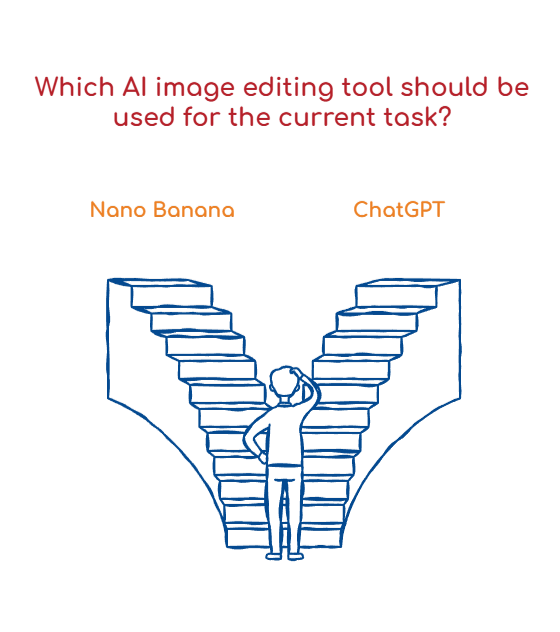
Use Nano Banana when:
- You’re starting from scratch and want to experiment with visual concepts
- You need to transform text content into an infographic format
- You’re working within the Google Workspace ecosystem
Use ChatGPT selective editing when:
- You have an existing AI-generated image that needs refinement
- You’re producing branded content with specific text elements
- You need to iterate quickly without losing what’s already working
Both tools have their place. The mistake would be thinking one replaces the other. They’re complementary.
The Bigger Picture: AI Tools Are Maturing
What excites me about this feature isn’t just the functionality. It’s what it represents.
AI image generation has been impressive but frustrating. Remarkable because the outputs can be stunning. Frustrating because the workflow was basically “generate, hope, regenerate, hope again.”
Selective editing is a maturity signal. It means the platforms are listening to how people actually use these tools and building features that address real workflow problems.
That’s the trajectory we should be watching. Not just “what can AI generate?” but “how can AI fit into how we actually work?”
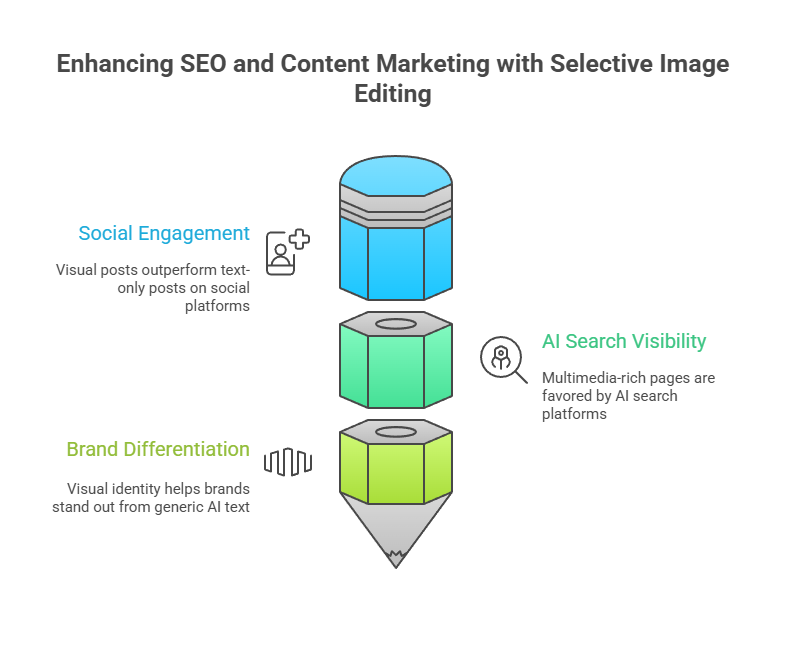
For SEO and content marketing specifically, this matters because visual content is increasingly important for:
- Social engagement: Visual posts outperform text-only posts on every platform. LinkedIn’s algorithm rewards image and video content. If you’re still posting text updates and wondering why engagement is dropping, the data is precise: it’s declining.
- AI search visibility: Google’s AI Overviews and other AI search platforms pull from multimedia-rich pages. Pages with original images, infographics, and video tend to get cited more frequently than text-only pages.
- Brand differentiation: In a world where AI can generate unlimited text content, visual identity becomes more important. Your visual language, the look and feel of your brand across platforms, is a differentiator that generic AI text can’t replicate.
Tools like ChatGPT’s selective editing make it easier to produce on-brand visual content. You can generate, refine, and iterate until the visual matches your brand standards. That was much harder when every change meant starting over.
Practical Applications for Your Business
Let me give you some specific use cases where this feature shines:
LinkedIn Banners and Headers: You create a banner for a campaign. Two weeks in, the campaign name changes. Instead of hiring a designer or wrestling with Canva, select the text, type the new campaign name, and done.
Social Media Graphics: You’re running a promotion. The price changes, or you want to test different CTAs. Select the price or CTA text, update it, and test multiple versions without starting from scratch each time.
Presentation Graphics: You’ve built a deck with AI-generated visuals. The CEO wants the company tagline added to each image. Select the appropriate area on each image, add the tagline, and maintain visual consistency across the deck.
Email Headers: Your email template has a hero image. You want to personalize it for different segments. Instead of creating entirely new images, edit the relevant portions for each audience.
The common thread? Iteration without destruction. You preserve what works while changing what needs to change.
What’s Still Missing
Let me be clear about the limitations. This feature is new, and it shows.
First, the AI sometimes interprets your selection too broadly. You select a word, and it changes the whole sentence. You choose a logo, and it changes the background too. Precision prompting helps, but it’s not foolproof.
Second, complex edits are still challenging. If you want to move an element, resize an object, or make structural changes to the composition, you’re better off regenerating or using traditional image-editing software.
Third, brand consistency across multiple edits can drift. Each edit is a new AI interpretation. After several edits, the image may begin to look inconsistent with your original vision.
These are solvable problems. I expect rapid improvement over the coming months. For now, set realistic expectations.
The Human Element Remains Critical
Here’s something I keep coming back to in every AI SEO Tip: these tools don’t replace human judgment. They amplify it.
The selective editing feature is powerful, but it still requires you to:
- Know what changes you want to make
- Articulate those changes clearly
- Review the output critically
- Iterate based on results
That’s the human-driven, AI-assisted approach we talk about constantly. The AI handles the execution. You handle strategy, quality control, and brand alignment.
Businesses that treat AI as a replacement for human thinking will produce mediocre work faster. Businesses that treat AI as an amplifier for human creativity will deliver excellent work at scale.
Credit Where It’s Due
Harold found this through Audrey Chia‘s LinkedIn post. She put together a solid breakdown of the feature and its use for marketing.
We’re linking to her post below because that’s how we operate here. No gatekeeping. If someone surfaces something valuable, we credit them and share it with our audience.
This is actually one of the things I love about the AI and SEO community. Information moves fast. People share what they find. The collective intelligence of the community means you don’t have to discover everything yourself.
If you’re not already following people who are actively testing and documenting these tools, you’re working at a disadvantage. The tools are evolving too fast for any one person to track everything.
Try It Yourself
Go to chatgpt.com/images. Generate something. Then try the selective editing feature.
Start simple. Generate an image with text overlay. Then try editing only the text. See how specific you need to be with your prompts to get the AI to change only what you want.
That experimentation is valuable. You’ll learn the edges of the tool, where it works smoothly, and where it needs more explicit instruction.
And here’s my advice: don’t wait for the tool to be perfect. Start using it now, understand its limitations, and you’ll be ready to move fast when the inevitable improvements come.
The people who win with AI tools are the ones who start using them early, learn the quirks, and build workflows before their competitors even know the tools exist.
Harold and I walk through the entire feature in this week’s AI SEO Tip. You’ll see the live demo, the mistakes, and the workarounds. Sometimes seeing someone else work through the kinks is more valuable than a polished tutorial.
As always, stay safe and healthy. We’ll catch you next time.
Cheers,
Chris