
How much time do you spend every week turning meeting notes into action items? If the answer is anything more than five minutes, you need to see what I am about to share.
Watch the full video above to learn more.
In this week’s AI SEO Tip, our Marketing Director, Harold De Guzman, walked through a real workflow that genuinely changed how we operate. He took a process that used to eat up thirty minutes after every single team meeting and compressed it into about five to seven minutes of completely hands-free automation using Claude and its Model Context Protocol connectors.
Here is the thing: this is not some theoretical concept or a tech demo built for a conference stage. This is how we actually run things day to day at Boulder SEO Marketing and at Chris Raulf AI SEO. We tested it, refined it, and now it is part of our standard operating procedure.
What Exactly Are Claude MCPs?
MCP stands for Model Context Protocol. In plain English, it means you are giving Claude permission to securely connect to the third-party tools you already use every day. We are talking about:
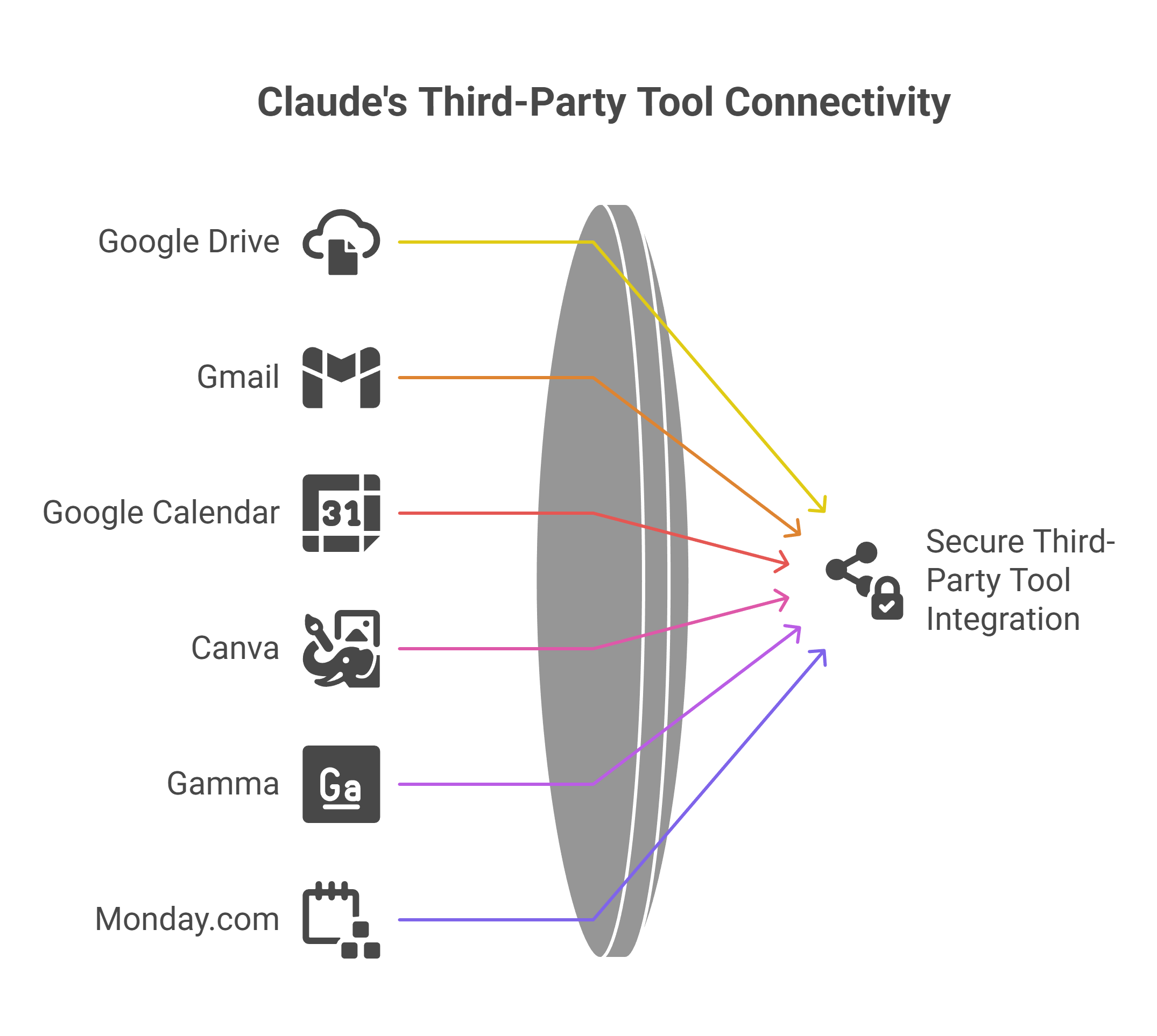
And a growing list of integrations that keeps expanding every month.
Think of it this way: before MCPs, Claude lived inside a chat window. It could write, analyze, and brainstorm, but it could not access your other tools or do things for you. Model Context Protocol changes that entirely. You set it up once through Claude’s connector settings, and from that point forward, Claude can pull data from and push actions to those connected platforms. It is the difference between having a really smart advisor and having a really smart assistant who can actually execute.
How to Enable Connectors in Two Minutes
Harold showed two ways to enable MCP connectors, and both take less than two minutes.
Option one
Click the plus sign in your Claude chat interface, then select Connectors. From there, you toggle on whichever tools you want Claude to access.
Option two
Click the settings icon in the bottom left corner of Claude, navigate to Connectors, and manage all of your integrations from a single dashboard.
Either path gets you to the same place. Once connected, you will see your Google Drive, Gmail, Google Calendar, and any other supported tools listed and active inside Claude. Harold had all three Google services connected, as well as marketing tools like Canva and Gamma. The beauty here is that new connectors keep getting added, so the list of what Claude can interact with is only going to grow.
One important detail: MCP connectors are available for paid Claude users. If you are still on the free tier and you are serious about productivity, this feature alone justifies the upgrade.
The Two-Step Prompt That Replaced 30 Minutes of Work
Here is what I love about Harold’s workflow. It is not complicated. There is no elaborate prompt engineering involved. After our weekly marketing meeting, he gives Claude exactly two instructions:
Step one: “Access my Google Calendar and pull the transcript from last week’s marketing meeting.”
Step two: “List all of my action items and add them to Monday.com under my to-do group.”
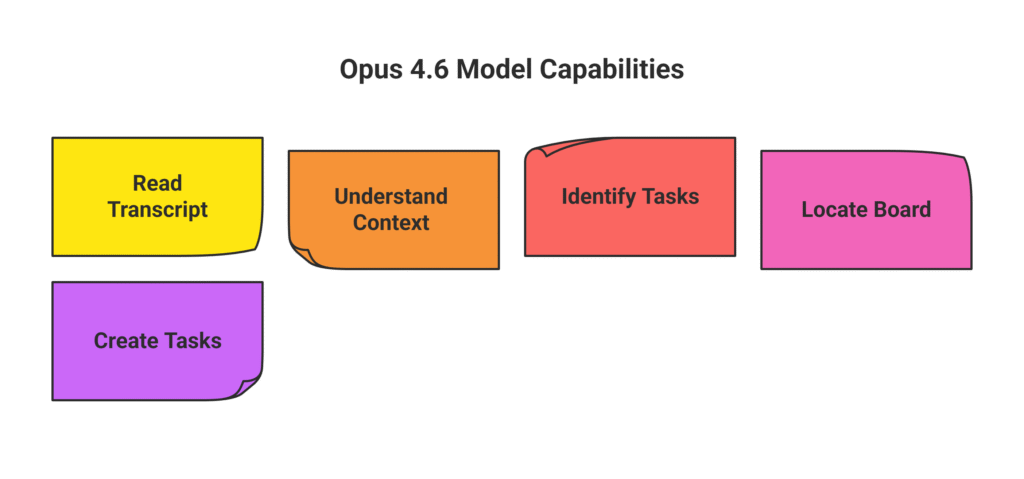
That is it. Two sentences. Claude, running on the Opus 4.6 model, allows it to:
- Read the full meeting transcript.
- Understands the conversation’s context.
- identifies every task specifically assigned to Harold.
- Locates the correct Monday.com board and the corresponding group within it.
- Creates each item as a properly formatted task.
The entire process runs in the background while Harold moves on to his next priority.
Before this workflow existed, Harold spent roughly thirty minutes after every meeting manually reviewing notes, opening Monday.com, creating each task one by one, assigning owners, setting dates, and double-checking that nothing slipped through the cracks. That is not unusual. That is what most marketing teams do. The difference is that Harold no longer does it because Claude handles it.
Why This Matters for Business Owners
I have said it before, and I will keep saying it: time is money. That is not a cliche when you actually do the math. If you are a business owner or a marketing professional, every minute you spend on administrative busywork is a minute you are not spending on strategy, client relationships, or revenue-generating activities.
Harold’s demo showed a task that most marketers perform manually after every single meeting. Multiply thirty minutes by four meetings a week, and you are looking at two full hours of pure admin every week. Over the course of a month, that is eight hours. Over a year, that is more than 100 hours of your life spent copying meeting notes into a project management tool. Claude can handle all of it for you while you focus on work that actually moves the needle.

And here is what is fascinating about this: Harold mentioned that he was literally working on other tasks while Claude was running through the process in the background. This is what true agentic AI looks like. It is not just answering questions. It is doing real work autonomously across multiple platforms without needing you to babysit it.
We Test Everything on Ourselves First
If you have followed my content for a while, you know that at Boulder SEO Marketing, we never recommend a tool or workflow to our clients until we have battle-tested it on our own operations first. Claude and its MCP integrations are now an integral part of our AI SEO methodology. We refine these processes internally, document exactly what works and what does not, and then roll them out to our clients.
That approach matters because there is a big difference between a tool that looks impressive in a demo and one that actually holds up in real-world, daily use. Claude’s MCP connectors have held up. They are reliable, they save measurable time, and they integrate cleanly with the platforms we already depend on. That is why I am confident recommending this workflow to you.
The Bigger Picture: AI as a Workflow Partner
Claude MCPs represent something larger than just a productivity hack. They signal a fundamental shift from AI as a writing and thinking assistant to AI as a true workflow automation partner. The ability to connect your calendar, email, project management tools, and design platforms into a single AI-powered hub is not a gimmick. It is a genuine productivity multiplier that compounds over time.
The tools are advancing so rapidly right now. If you read the news recently, you probably saw that Anthropic’s Claude triggered a trillion-dollar sell-off in tech stocks because the industry is recognizing just how powerful and disruptive this technology is becoming. The companies and professionals who learn to leverage these capabilities now will have a significant competitive advantage in the months and years ahead.
What to Do Next
Head over to claude.ai, enable your MCP connectors, and try Harold’s two-step prompt after your next meeting. It takes two minutes to set up and could save you hours every month. Then let me know how much time you saved.
Stay safe and healthy.
Cheers,
Chris