
How many promo videos have you never made because the whole thing felt like too much of a lift?
I ask because I hear it constantly. A business owner knows a short promo would help. New service, product launch, a landing page that needs something more than a wall of text. Then reality sets in. Video editing software has a real learning curve. Hiring an editor means waiting on someone else’s schedule and paying real money for something you might need to update again in three months. So the video never gets made. The idea sits in a note somewhere and slowly dies.
I have been on both sides of that problem, and I will be honest with you: for years, the honest advice was either learn a tool you did not want to learn, or open your wallet. That is no longer true. Our AI director, Harold De Guzman, put together this week’s AI SEO Tip to show you exactly why, and I think it closes the gap for a lot of you. Watch the full video above to learn more.
A few weeks back, Harold showed a way to build a promo video using Claude and a tool called Remotion. That method works. This week, he found something even easier, walked through the entire build on screen, and showed the actual sixty-second result at the end. No editor. No expensive software. No motion design skills. Here is how it comes together.
What HyperFrames Actually Is
The tool is called HyperFrames, and it lives at hyperframes.heygen.com. The tagline tells you almost everything you need to know: edit videos by vibe coding. It is built by HeyGen, the same company behind the AI avatars you have seen in some of our other videos, and it is completely open source under the Apache license. That last part matters more than it sounds. There is no subscription for the tool itself, no per-video fee, no credits to buy. It is free to use.
Vibe coding is a phrase that gets thrown around loosely, so let me ground it. It means you describe what you want in plain language and let an AI coding agent do the actual building. You are not writing motion design timelines by hand. You are not dragging clips on a track. You are telling an agent how the finished product should feel and letting it assemble the pieces. HyperFrames is the idea pointed squarely at video.
I have spent the better part of three decades in SEO and digital marketing, and I have watched many tools promise to take work off my hands and quietly add more. This one is different in a specific way. It does not ask you to become a video editor. It asks you to describe outcomes, which is something every business owner can already do. You know what you want your video to say. You have never had a clean path from that knowing to a finished file. This is that path.
What You Need Before You Start
Here is the thing people skip past, so I want to be clear about it up front. HyperFrames does the video work, but it runs on top of Claude Code, and Claude Code is what actually builds here. To use it, you need a Claude Pro subscription at a minimum, because that is what unlocks Claude Code. Claude Code runs through the Claude desktop app. So the short version: a Claude Pro subscription, the Claude desktop app installed, and you are ready for step one.
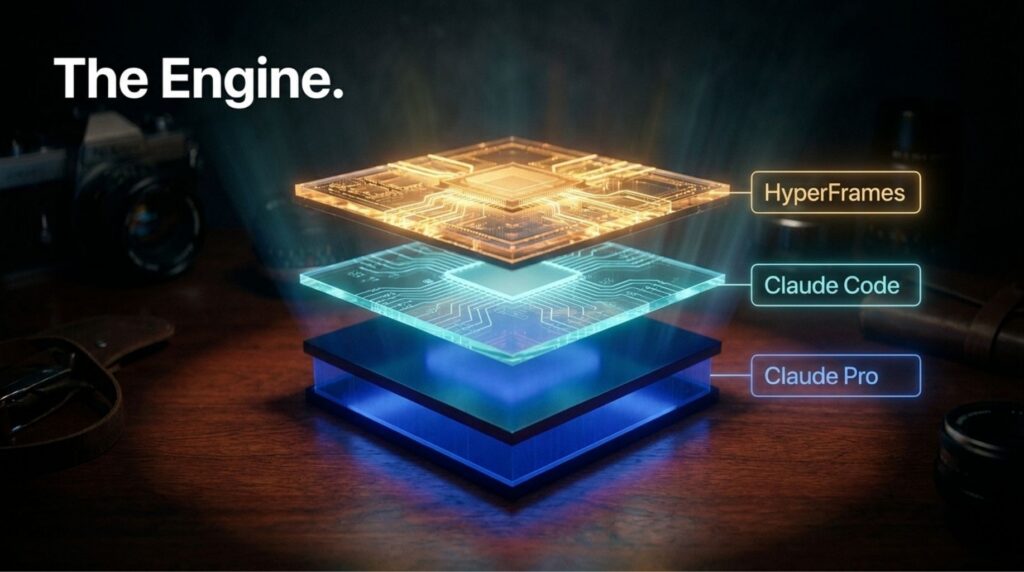
I am flagging this because I never want to oversell what a tool requires. This is not a no-code, click-one-button experience. You do need to be comfortable working inside an AI coding agent, and you need the paid Claude tier. It is genuinely accessible and a fraction of the cost of an editor, but it is not magic. Go in knowing that, and you will have a much better time. The people who get frustrated with tools like this are almost always the ones who expected zero friction. A little friction, once, is the trade you make for never paying an editor again.
The Three Steps Harold Walked Through
Harold kept the whole thing to three steps on purpose, and once you see it, the simplicity is the point.
First, you install HyperFrames inside Claude Code. HeyGen gives you a one-line install command right on the HyperFrames page: npx skills add heygen-com/hyperframes. You copy it, paste it into Claude Code, and hit enter. Once it finishes, Claude Code shows you all sixteen HyperFrames skills loaded and ready. That is a one-time setup. You do it once, and it is there for every future video.
Second, you create a folder and drop your assets in. This is where you put everything you want featured in the video. Screenshots, images, clips, whatever. For example, Harold used seven screenshots pulled straight from our microSEO.ai platform, capturing different parts of it: the command center, the pipeline, the content engine, the reports, and metrics. He created a folder, dropped the seven screenshots in, and pointed Claude Code at it. The agent was smart enough to identify each screenshot and understand what it showed.
Third, you write the description of the video you want. And this is where the real lesson lives, so I am giving it its own section.
The Part Most People Are Going to Miss
Watch what Harold did with the prompt, because it is the whole game.
He did not write the video description himself. Instead, he used our Claude account, the one that already knows everything about our microSEO.ai platform, and asked it to write the promotional prompt based on the screenshots sitting in the local folder. The AI that knew the product wrote the brief. Then HyperFrames executed against that brief.

Harold put it perfectly on camera: you need to use AI to use AI. That is not a throwaway line. It is one of the most useful habits I have picked up watching our team work. If you have an AI tool that already holds your product knowledge, your brand, your positioning, use that tool to generate the instructions you feed the next tool. Do not sit there trying to write a perfect video description from scratch when you have an assistant that already understands your business better than a blank prompt box ever will.
This is the difference between a generic output and one that actually sounds like you. The screenshots gave HyperFrames the raw material. The brand-aware AI gave it the intent. That pairing is why the result did not look like a template. I have seen too many businesses feed a bare, one-line prompt into a powerful tool and then wonder why the output feels hollow. The tool was never the problem. The brief was.
For the record, the full generation took Harold about thirty minutes to produce the finished sixty-second video. Set it up, describe it, let it run, come back. It fits inside an afternoon, and most of that time is the machine working, not you.
Why This Matters More Than a Single Video
Let me pull back, because I do not want you to walk away thinking this is just a neat trick for one promo.
The reason this matters is production velocity. In the search world we are living in now, where AI Overviews and generative engines are deciding what gets surfaced, the businesses that win are the ones that can produce a steady stream of genuine, useful content without drowning in cost and process. Video has always been the expensive, slow corner of that. Every barrier you remove from video production is a barrier removed from showing up consistently.
Here is where my own history colors how I see this. Back in 2021, one of our properties lost around eighty percent of its traffic almost overnight after an algorithm shift. It was brutal. What pulled it back was not a clever hack; it was persistence and a steady output of quality content over time. That experience burned a lesson into me: the businesses that survive volatility are the ones that can keep producing when others stall. Anything that lowers the cost of consistent output is not a gimmick. It is a survival infrastructure. A tool that turns a two-week video project into an afternoon is exactly that.
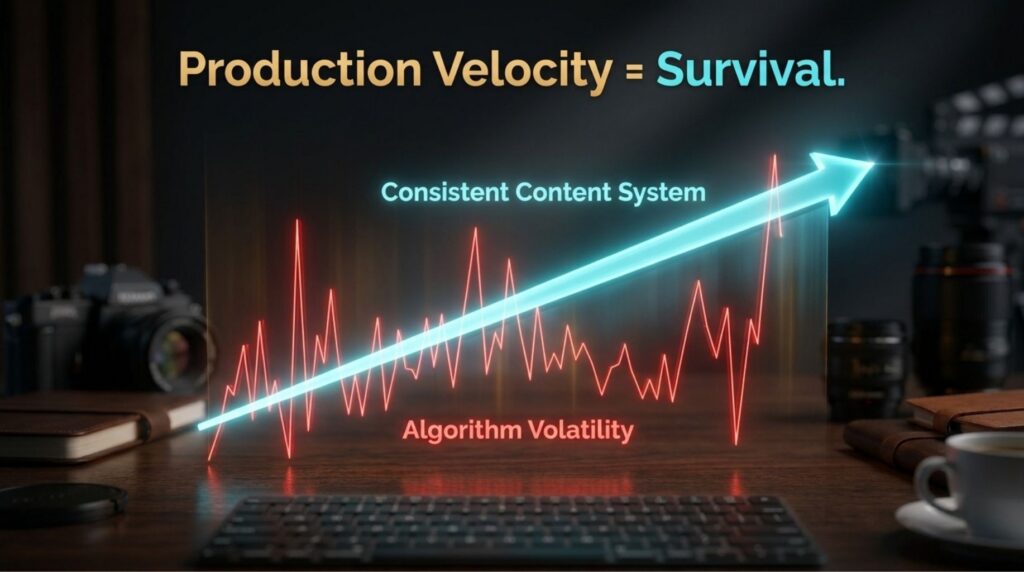
I have worked with clients across Europe, Asia, and North America, and the pattern holds everywhere. The businesses that treat content as a system, not a series of one-off heroic efforts, are the ones that build durable visibility. Geography does not change that. Budget does not change that. What changes is whether producing the next piece feels heavy or light. Tools like this make it light.
Think about a Colorado home services company that wants a short promo for each of five service pages. The old math said that it was a real project: an editor, a budget, weeks of back and forth. The new math says it is one afternoon of setup and five prompts written by an AI that already knows the business. That is the shift. It is not about one video. It is about the ones you were never going to make, finally getting made.
This is the same principle behind our microSEO.ai platform, our AI SEO platform coming soon from Boulder SEO Marketing. It is built around exactly this idea: using AI to handle the work that used to take a whole team, so the quality and the consistency both go up instead of trading off against each other. Human-driven, AI-assisted. The human still sets the intent and reviews the result. The AI removes the grind in the middle.
There is also a breakdown of HyperFrames worth reading from Data Science in Your Pocket if you want to go deeper on the tool itself. Harold linked it in the video description, and I would start there before your first build.
What to Do Next
If you run a business and you have been putting off video content because it felt like too much of a lift, this genuinely closes that gap. You do not need to know motion design. You do not need to write your own prompt from scratch. Set up your folder with real assets, install HyperFrames once, and let an AI that already knows your business write the description for you. That is the entire process, start to finish.
Try it. Break something. Rebuild it. That is how you actually learn what the tool can and cannot do for your specific business.
And if all of this sounds interesting, but you would honestly rather have someone handle your AI SEO and content for you instead of building it yourself, that is exactly what we do. Take a look at my AI-driven SEO and GEO services, or if you want a sense of where you stand first, start with a complimentary AI SEO audit. Either way, reach out and let us talk.
If you want to keep going deeper on this, I host the AI SEO & GEO Online Summit a few times a year, and dig into exactly this kind of thing with guests on the AI SEO Insighter Podcast.
Stay safe and healthy.
Cheers,
Chris