
Is your business leaving one of the most powerful SEO signals on the table?
YouTube videos are consistently among the most frequently cited sources in Google’s AI Overviews. Not blog posts. Not landing pages. Not carefully optimized service pages with schema markup and E-E-A-T signals baked in. Video. And yet, most businesses aren’t putting video on their service pages because the production process feels too slow, too expensive, or just too complicated to manage alongside everything else they’re already handling. Watch the full video above to learn more.
I’ve seen teams put off video production for months, sometimes years, because they didn’t have a dedicated editor, a budget for a production company, or someone on staff who knew how to use Premiere Pro. It becomes the perpetual item on the “someday” list. Important in theory, never urgent enough to solve in practice, and that bottleneck just got removed.
Our head of AI Research and Development, Harold De Guzman, recently recorded an AI SEO Tip demonstrating a workflow that builds a complete, fully animated marketing video using Claude Code and Remotion.
- No video editor
- No designer
- No timeline scrubbing
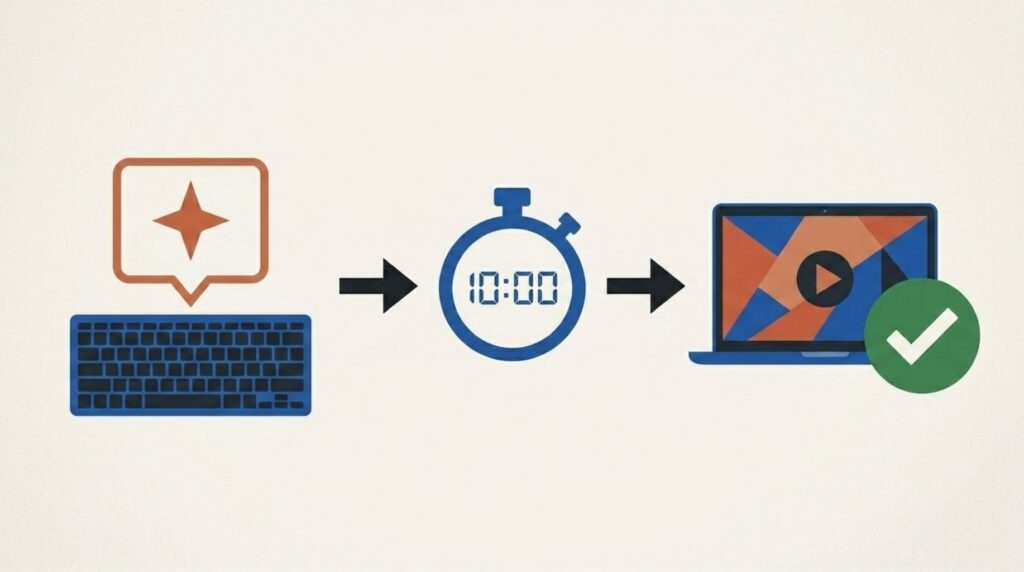
Just plain English prompts and about 10 minutes of setup. The result was a fully animated, publish-ready video for our SEO pricing and packages page at Boulder SEO Marketing, built by a single person.
What Harold showed us isn’t a workaround or a rough prototype you’d be embarrassed to put on a client-facing page. It’s a repeatable, professional workflow that any team member can run from start to publish. Here’s exactly how it works and why every SEO-focused business should be paying attention to this right now.
Two Tools That Change How You Think About Video Production
Let’s start with the tools, because understanding what each one actually does is what shifts your perception of what’s now possible.
Remotion is a framework that converts code into video. Instead of opening a timeline editor, dragging clips around, and adjusting keyframes one by one, you describe what each frame looks like using code. Remotion renders that description into a real MP4 file. Pixel perfect. Fully repeatable. If your messaging changes or your branding gets updated, you change the code, and Remotion re-renders it. You’re not opening an editing suite, rebuilding a timeline, and re-exporting everything from scratch.
Claude Code is Anthropic’s AI coding tool, available through the Claude desktop application. The premise is clean: you describe what you want in plain English, and Claude Code writes the code and builds the output for you. Harold described it as “a developer who already knows your project.” You don’t write a single line of code. You don’t need to know React, video rendering, or how Remotion’s framework operates under the hood. You describe the result you want, and Claude Code builds it.
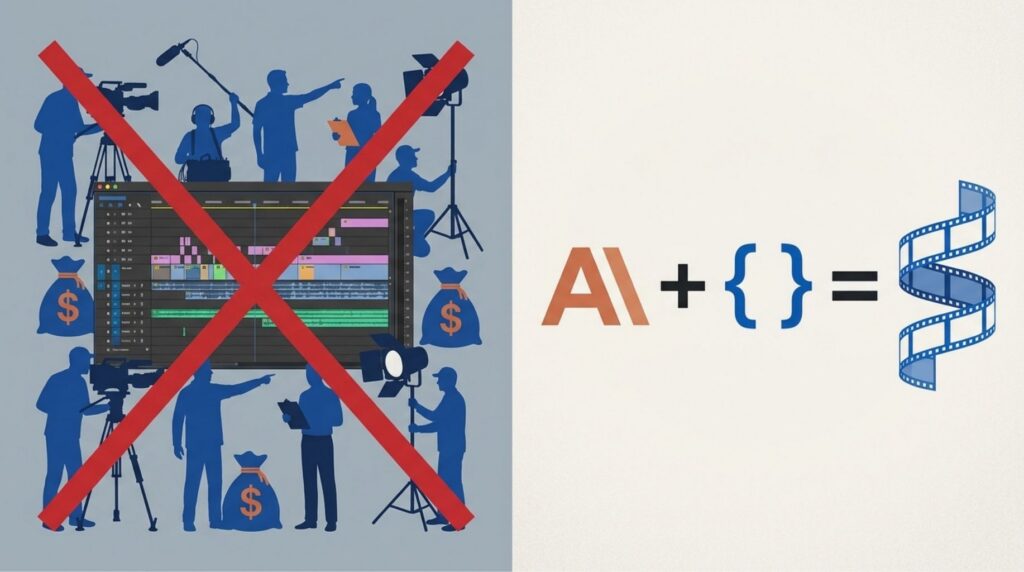
Together, these two tools eliminate the three biggest friction points in video production: the need for a video editor, a designer, and technical coding expertise. For small teams, agencies, and solo marketers working across multiple client pages, that’s a meaningful shift in what’s operationally realistic.
Getting Set Up in Under Five Minutes
The setup is simpler than you’d expect. Harold walked through every step on screen, and it genuinely takes about two to three minutes to get running.
First, download the Claude desktop app at claude.com/download. Install it, sign in, and you’ll see three modes: Chat, Co-Work, and Code. Click Code. Open a new session, select a project folder on your machine, and paste in this command:
npx create-video@latest my-video –blank –tailwind –skills -y -g && cd my-video && npm install
After about two to three minutes, everything Remotion needs to run on your local host installs automatically. Then run npm run dev, and your Remotion Studio opens in the browser.
At this point, Claude Code has the “Remotion Skills” loaded into the workspace, as Harold calls them. This preset teaches Claude Code best practices for video generation with Remotion. Because those skills are already installed in the environment, Claude Code understands how to work with the framework without you having to explain anything about how the tool operates. You’re ready to start generating.
One important note: when you open the session in Claude Code, you’ll be prompted to “trust the workspace.” Click always allow and let the installation complete before running your first prompt. Harold flagged this as a step people tend to rush and then wonder why things aren’t working.
One Prompt. Ten Minutes. A Publishable Marketing Video.
Here’s the part that genuinely surprised me about what Harold demonstrated.
His first prompt to Claude Code was: “Please create a 30-second promotional video for this page.” He pointed it at the Boulder SEO Marketing SEO pricing and packages page.
About ten minutes later, a complete animated video was ready. It covered BSM’s full-service SEO offering, the client challenge, our results section, and a “why choose us” closing. All animated. All sequenced. Harold didn’t touch a single editing tool. His assessment was direct: “In my opinion, this is good enough for me to use as an asset to promote our page on our social media channels.” That’s a genuine publishable output, not a rough proof of concept.
You can also add your own brand assets. Remotion uses a public folder within your project directory. Drop your logo, images, or existing video clips there, and Claude Code incorporates them into the render. Harold showed a version with Chris’s name and the BSM logo generated through exactly this process.
For a polished starting point, Remotion has a pre-built prompt library at remotion.dev/prompts/launch-video-on-x. Copy one, adapt it to your brand, and paste it into Claude Code.
Why This Is an SEO Priority in 2026, Not Just a Production Shortcut
The reason we’re covering this as an AI SEO Tip comes down to where search visibility is heading, and where it is right now.
YouTube is one of the most cited sources in Google’s AI Overviews. I’ve been watching this closely across multiple search categories, and the pattern holds consistently: when Google’s AI synthesizes a response about a service, a location, or a topic your business operates in, video content appears as a cited source at a notably high rate. If your business has no video presence on YouTube, you’re missing one of the most visible placements in AI-powered search results.
Video on service pages also creates measurable on-page signals. Dwell time increases when visitors watch a video rather than scanning text and leaving immediately. Engagement signals improve when visitors interact with embedded content rather than bouncing after a few seconds. Both of those matter to how search engines evaluate whether a page is actually delivering value. Better engagement and longer dwell time reinforce the authority and relevance signals that determine where pages rank in both traditional and AI-powered search environments.
The historical barriers have always been production costs and complexity. Building a quality video for a service page traditionally meant a budget, a production team, or an in-house editor who knew what they were doing. That’s why most service pages, even well-optimized ones, still lack a video. It’s the missing piece in many otherwise solid SEO strategies, and it stays missing because the path to fixing it felt too expensive and time-consuming to justify.
This workflow changes that math entirely.
How We’re Already Using This at Boulder SEO Marketing
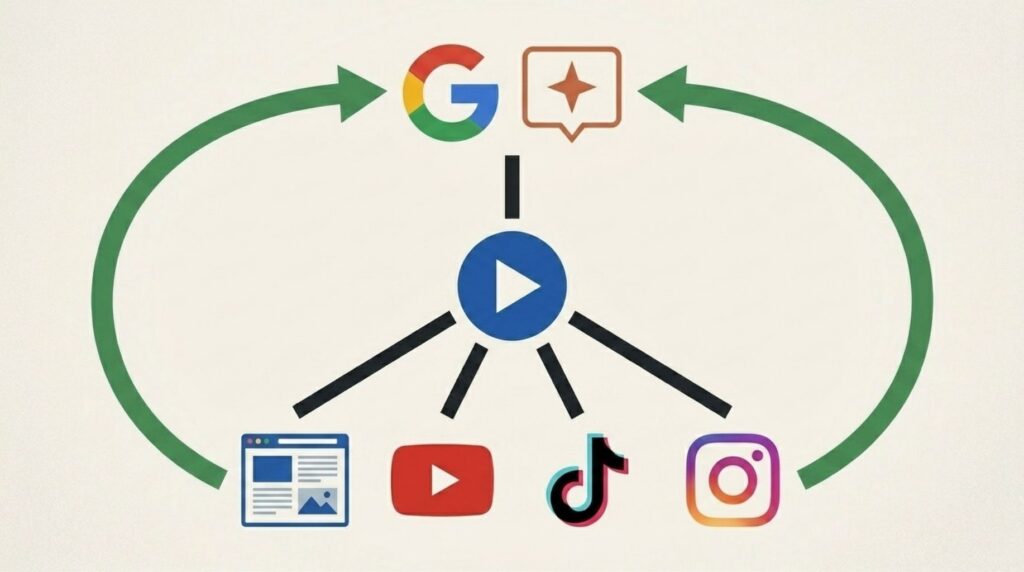
Harold built the first version of this video for our SEO pricing and packages page. It’s live on the page now. We’re also distributing it across our YouTube, TikTok, and Instagram channels simultaneously.
The operational implication worth considering: a single Claude Code session that produces a single piece of video content immediately feeds five or six distribution channels at once. The service page, YouTube, Instagram, TikTok, and any other platform where you embed or share the video. Each distribution point creates a separate visibility signal for that content. YouTube specifically feeds the source that Google’s AI Overviews is citing most frequently right now.
We’re also looking at how this scales to client service pages. If a 10-minute prompt session can produce a publishable, animated video for a local service business’s page, the efficiency is significant. The SEO upside, improved dwell time, better engagement signals, YouTube presence, and AI Overview citations don’t arrive separately. It stacks. And for businesses that have been putting off video because of production barriers, this removes the primary objection entirely.
This is the kind of workflow that used to require a dedicated video production budget and a specialist on the team. Now it requires a Claude subscription and about 10 minutes.
What to Do Next
The starting point is simple. Download the Claude desktop app at claude.com/download, install it, sign in, and click Code. Create a new session, select your project folder, and run the setup command Harold walked through in the video. Then point Claude Code at your service page with a single prompt. Or pull one from the Remotion prompts library and adapt it to your brand.
The output won’t be flawless on the first pass. Harold is honest about that. But it’s professional enough to publish, and it’s a fraction of the time and cost of traditional video production. Add it to your service page, upload it to YouTube with a properly optimized title and description, and let it do its work for your dwell time signals and AI Overview visibility.
If your service pages have no video on them right now, this workflow finally makes adding one realistic for a small team or a solo operator.
Stay safe and healthy.
Cheers,
Chris