
What if the AI you already pay for could now build a working mobile app, a landing page, or a full slide deck from a single prompt in 10 minutes?
That is exactly what just happened, and most marketers have not yet caught up. Watch the full video above to see the full walkthrough.
If you have been using Claude for any length of time, you already know two things about it. It is incredible at writing. It is incredible at coding. Those have been its strengths from day one. But anyone who has tried to use Claude for actual visual design knows the truth. That was the one area where it really struggled. The output looked generic. The layouts were flat. You ended up taking the code and rebuilding the design somewhere else.
That just changed. Anthropic launched Claude Design, and the product’s weakest spot just became one of its strongest. Our Head of AI R&D, Harold De Guzman, walked our team through it this week, and what he showed us is genuinely a shift in how a small team can move from idea to working prototype.
This matters more than it might sound. The pattern of the last two years has been clear. The AI tools that win the marketing stack are the ones that close the gap between thinking and shipping. Writing got there first. Code got there second. Visual design has been the stubborn last mile, the place where every marketer ended up bouncing back into Figma or Canva or hiring a freelancer for a week. Claude Design is the first tool I have used that genuinely closes that gap inside the same workspace where you are already working.
What Claude Design actually is
Claude Design lives at claude.ai/design and turns Claude into a real visual design tool. We are not talking about generating ideas or writing CSS that you have to assemble somewhere else. Claude Design builds the thing. Landing pages. Mobile apps. Slide decks. Carousels. Interactive prototypes. You describe what you want in plain English, answer a handful of clarifying questions, and the tool produces a working, exportable design.
The dashboard greets you with a few categories. Prototypes. Slide decks. Templates. There is also a section of inspirational examples you can click into and steal the prompt directly. Globe loaders. Interactive cards. Particle effects. Shader wallpapers. Calculator kits. Mobile apps. The point of that example library is simple. If you are stuck, you can see what is possible and reverse-engineer the prompt that got someone there. That alone shortens the learning curve in a way no other tool I have tested has done.
The bigger shift is the design system feature. When you create a project, you can pull in your brand colors, your logo, even your GitHub repository. The output then respects your brand from the first generation, not after three rounds of edits. That alone changes the workflow for any agency or in-house team that has been losing time to back-and-forth on brand consistency. For our boutique agency setup, where Daniel Burns, our COO, has spent two decades watching the same brand-fidelity problem repeat itself across hundreds of design handoffs, this is the kind of feature that pays for itself in the first project.
Three things to handle before you open the tool
Before you click anything, three things matter.
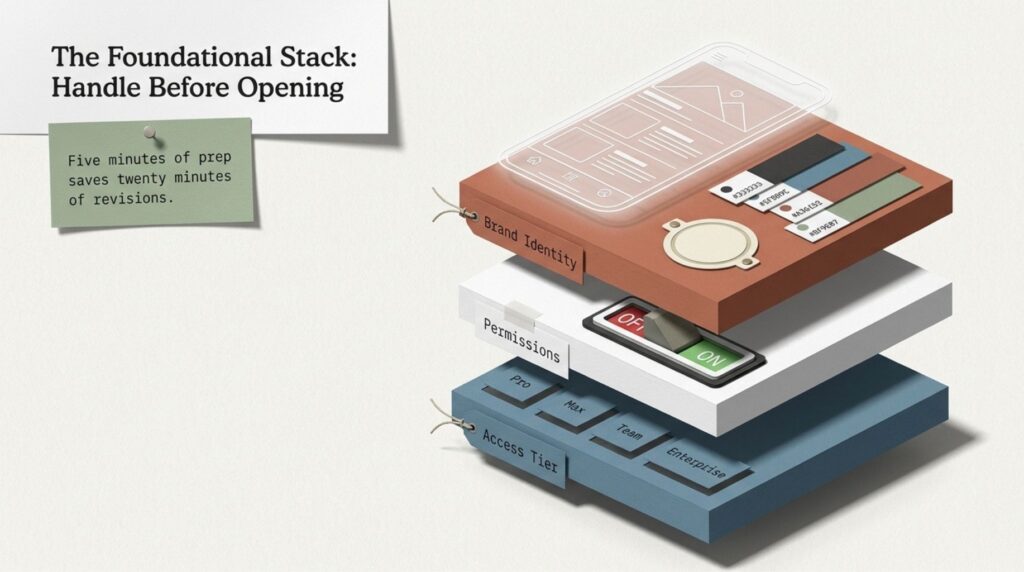
First, you need a paid Claude plan. Claude Design is available on the Pro, Max, Team, and Enterprise plans. If you are still on the free tier, this will not work for you yet. The Pro plan is the cheapest entry point.
Second, if you are on an Enterprise plan at a larger company, your admin must enable Claude Design. It is off by default for Enterprise accounts. So if you go to claude.ai/design and you do not see what we are describing, that is almost always why. A quick message to your IT or workspace admin solves it.
Third, have your brand assets ready before you start. Your hex codes. Your logo file. Any reference screenshots? The tool can guess at branding, but it produces dramatically better output when you give it a foundation to work from. Five minutes of prep save you twenty minutes of revisions.
The prompt structure that actually works
Here is what surprised me when Harold walked us through this. Claude Design does not require a long, structured, framework-heavy prompt. He used a single sentence. “I want to build an app where people can view Chris Raulf’s podcast episodes, past guests, and a form to apply as a guest speaker.”
That is it. One sentence. From there, Claude Design takes over and asks you a series of specific questions to refine the build. What subject matter is this? What kind of app, mobile or web? Which screens should I prototype? What aesthetic direction? Light mode, dark mode, or both? The form fields you want collected? You can answer each one yourself, or you can say Decide for me and let Claude Design make the call.
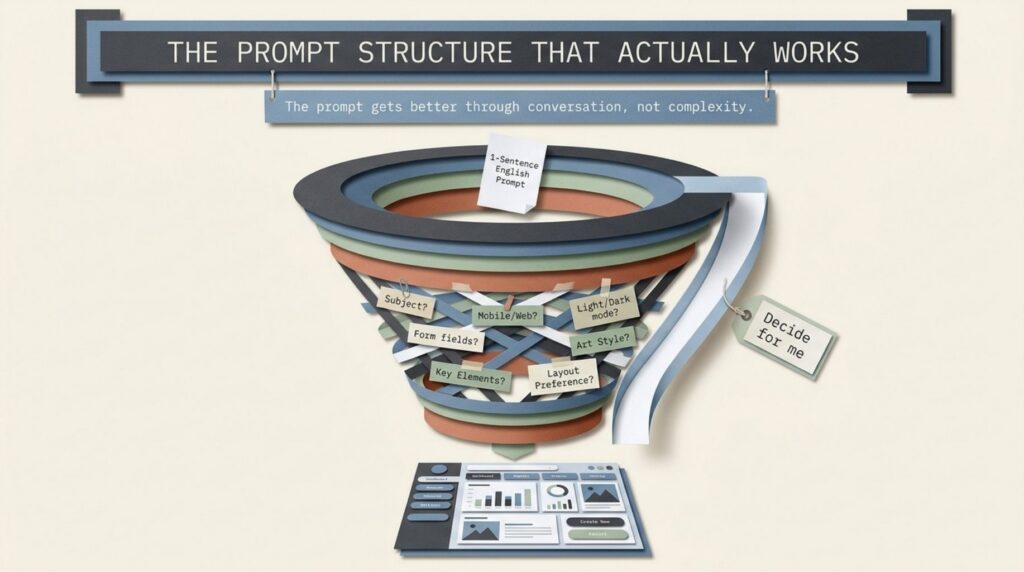
That is the part marketers should pay attention to. The prompt gets better through conversation, not through complexity. You do not need to be a prompt engineer to achieve great results. You need to be willing to answer questions. The tool meets you where you are. This is exactly the design philosophy I have been arguing for in our AI SEO and GEO work for the last two years. The future of useful AI is not in writing perfect prompts. It is in tools that ask you the right questions back.
For our podcast app build, Harold went with iOS-style framing, an episode player, a guest application form with fields for name, email, company, and role, and a tech-pro aesthetic he described as clean, data-forward, and slightly futuristic. We also dropped in the chrisraulf.com podcast page as a reference so Claude Design could pull our brand context directly. Total prompt and clarification time before generation started? Under three minutes.
What it produced in 10 minutes
About 10 minutes later, we had a working prototype.
The home screen featured our recent guests, our latest episodes, a featured episode card, and a guest-pitch CTA. Click through to a guest, and Claude Design had already pulled in the right images and descriptions from the source page. The application form worked. The navigation worked. The aesthetic matched the prompt. The font choices, the gradients, the spacing, everything felt deliberate, not generic.
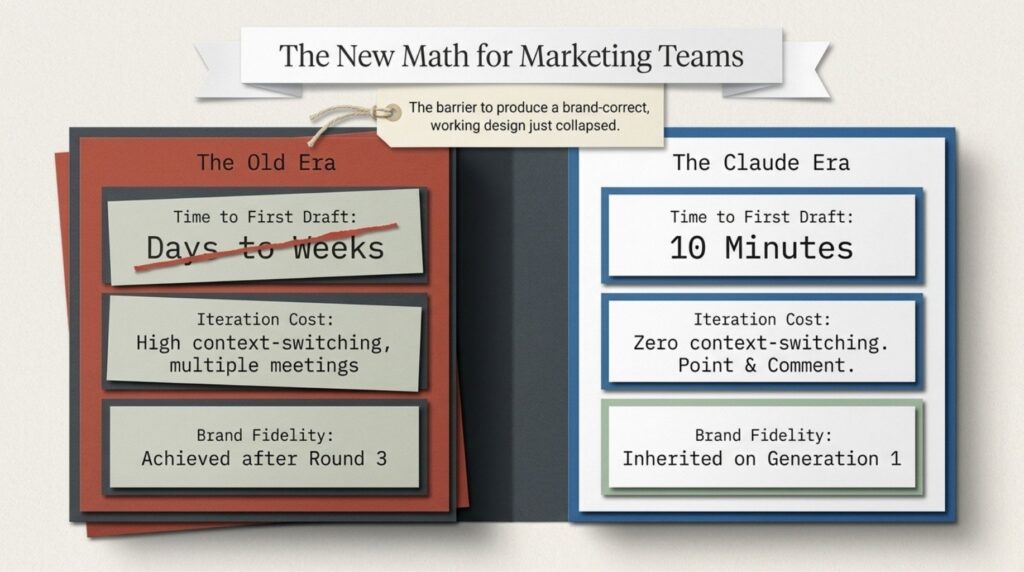
For context on how big a deal this is. A high-fidelity mobile prototype with multiple screens, working navigation, and brand-correct styling used to require either a dedicated designer for two or three days or a back-and-forth Figma session that ate up an entire week. We are now at 10 minutes for the first pass. That is not an incremental improvement. That is a category change in how marketing teams can work.
The edit feature that changes everything
Once you have a generated design, you do not have to keep prompting in long paragraphs to make changes. Claude Design has a comment feature. You click directly on the element you want to change, type a short instruction, and that change applies to that specific element only.
Harold demoed this with the AI SEO Insighter podcast title on the home screen. He clicked the title text, typed please make the font bigger, and the bump went from 13 pixels to 16 pixels in seconds. No prompt rebuilding. No instruction stack. Just point, comment, refresh.
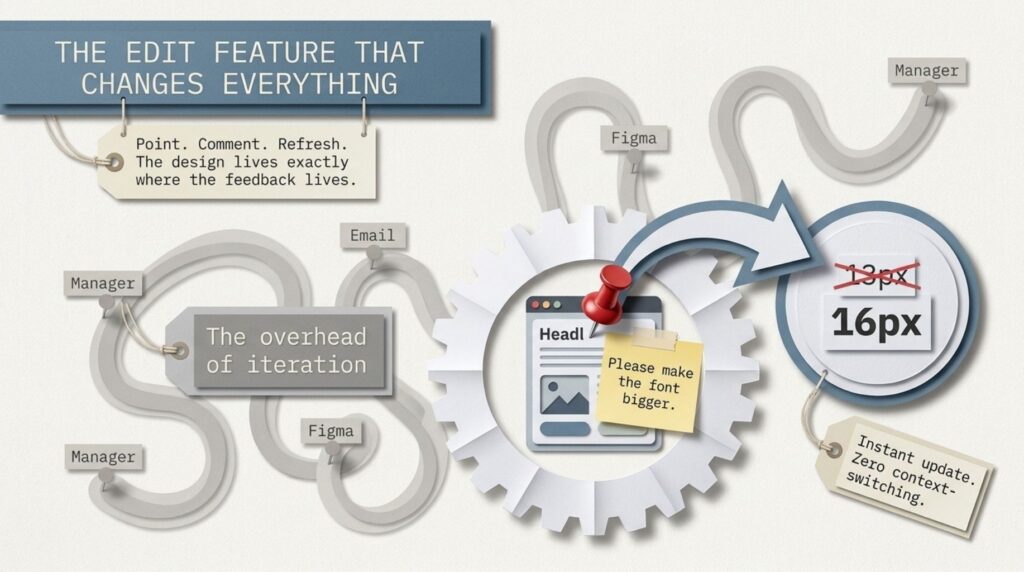
That is the part that should make every agency owner pay attention. The highest hidden cost in any design workflow is the overhead of iteration. Five rounds of feedback, each one requiring a designer to context-switch back into the file, find the element, make the change, push the new version. Claude Design collapses that into a comment thread that the AI itself executes. The design lives where the feedback lives. For client teams, this is the difference between a design that goes through three revisions over a week and one that goes through three revisions over a coffee break.
Export options worth knowing about
When you are happy with the design, you have four real export paths.
You can download the entire build as a zip file with all the assets included. You can export the design as a PDF, which is what Harold did to share with our marketing team for review. You can send the design directly to Canva, which is huge if your team already lives in Canva for production. Or you can hand off the design files to Claude Code, which lets a developer take the prototype straight into a real, deployable application.
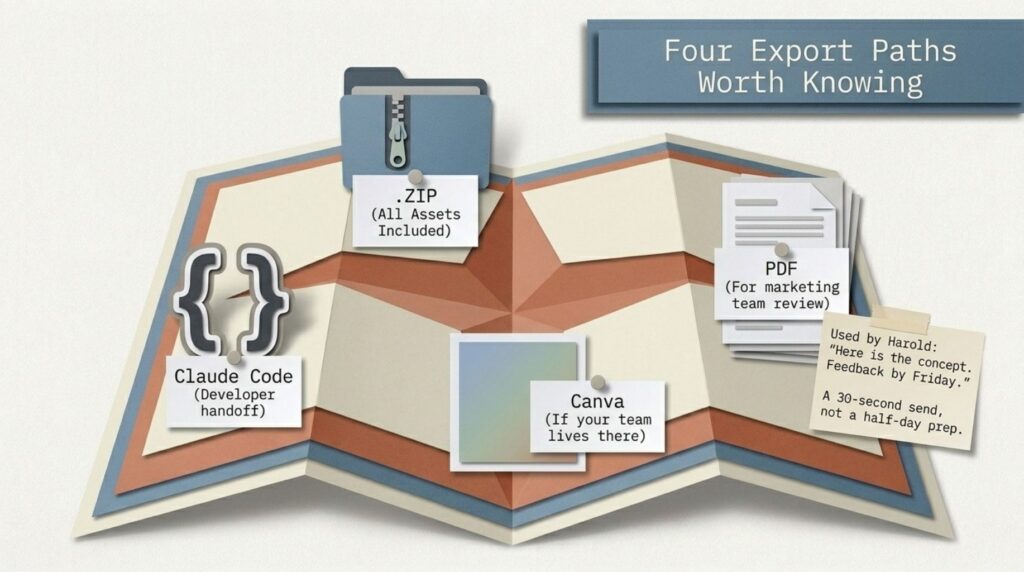
That last option is the one most teams will sleep on. Claude Design plus Claude Code is a complete handoff from prototype to production within a single ecosystem. You design with one tool, your dev team builds with the other, and nothing has to be re-translated between them. For an agency like Boulder SEO Marketing, which already uses Claude Code internally for client tooling, this reduces a two-week prototype-to-build cycle to two days.
For us on this build, the PDF route was the right call. We sent the export to our marketing team with a one-line message. Here is the podcast app concept. Give me your feedback by Friday. That is a thirty-second send instead of a half-day prep, and our team had a real, scrollable artifact to react to.
What this means for marketing teams right now
Look. I am not in the business of hyping every new AI tool that drops. I have been doing SEO since the late 90s, and I have watched plenty of so-called game-changers fade within 12 months. But the pattern with Claude Design is different. The bar to produce a real, brand-correct, working design just dropped from days to minutes, and the bar to iterate just dropped from rounds to comments.
That changes the math on a lot of marketing decisions. Landing pages you used to skip because they were not worth the design time become viable. Pitch decks for internal ideas you’ve been putting off get made the same day. Mobile and web concepts you used to hire out for can be prototyped before a single dollar leaves the agency. The teams that learn to use this fluently in the next 90 days will ship more and faster than the teams that wait to see what shakes out.
Your assignment this week
Here is what I want you to do.
Open Claude Design this week. Pick one small thing you have been meaning to mock up. A landing page for a campaign. A simple lead magnet layout. A pitch deck for an internal idea. Write one specific sentence describing what you want, and then let the tool ask its questions. Spend twenty minutes, no more. See what it gives you.
If the output is rough, refine it with the comment feature instead of starting over. If the output is great, export it as a PDF and send it to your team or your client. The goal is not to ship something today. The goal is to feel what it is like to have AI do the visual design step that has historically been the bottleneck on small teams.
If you build something cool, tag Boulder SEO Marketing on LinkedIn. Harold or I will reply.
We drop a new AI SEO tip every week with practical, hands-on strategies you can use right away. The tools are moving fast, but the marketing teams that learn to use them first will pull away from the rest of their industry over the next twelve months.
Stay safe and healthy.
Cheers,
Chris