
What if one paragraph could hand you a finished motion graphic? No install, no code, no editor. Just a clear brief typed into an app you probably already have open.
I’ve been doing SEO since the late 90s, and I’ve watched a lot of “this changes everything” tools come and go. Most of them changed very little. This one is different, and I can show you why, because our team has now tested AI video three times in seven months and the trend line is hard to ignore.
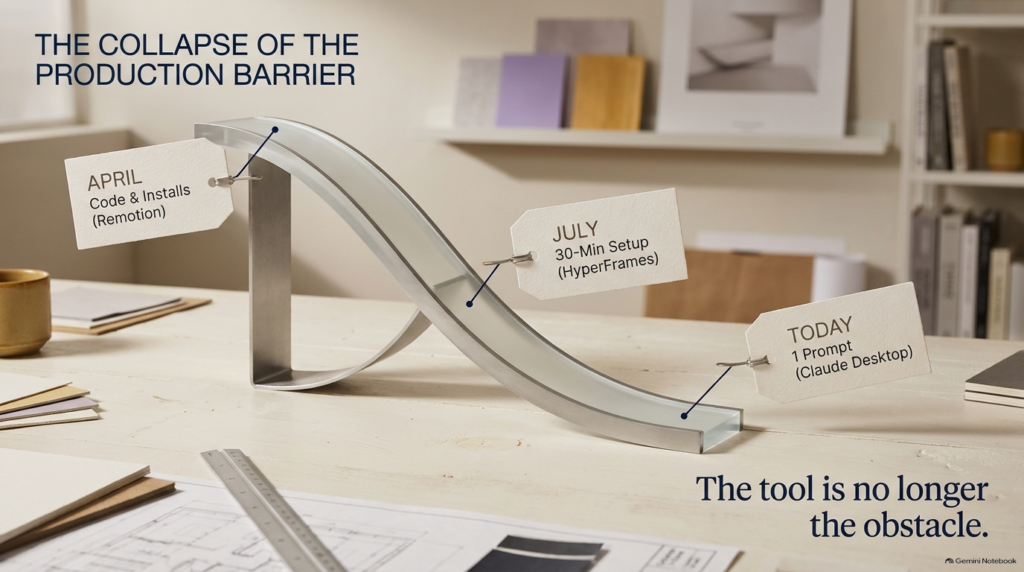
Back in April, our Head of AI R&D, Harold De Guzman, recorded an AI SEO Tip where he built an animated marketing video with Claude Code and Remotion. It worked, but you had to install a few things first. In July, we did it again with HyperFrames, and that took about 30 minutes to get going. This week? One prompt. The video gets generated right inside Claude. That’s it. Watch the full video above to learn more.
Three Videos, Three Prompts, Zero Editing Software
Here’s the plan Harold walked through: three videos from three prompts. A logo intro, an animated traffic chart, and a vertical promo for social. Then one follow-up sentence that completely changed the look of the promo. And at the end, the three things we now put in every prompt to make this work.
All of the demos were run by Sean from our AI team. He used the Claude desktop app with the Opus 5.5 model, and he set the effort level to medium. That last detail matters more than it sounds. Medium effort means the model doesn’t burn through as many tokens, and if you’re going to make this part of a weekly workflow, token usage is a real cost you should manage from day one.
Notice what’s missing from that setup list. No plugins, no command line, no rendering software, no timeline editor. If you’ve been putting off video because the tooling felt like a second job, that excuse just disappeared. The only skill left is the one that was always the hard part: knowing what you want and describing it clearly.
The Logo Sting: Describe the Motion, Not the Build
The first demo was the simplest one, a logo sting. That’s the short animation you see right before a video starts.
Here’s what the prompt asked for: five seconds on a dark navy background. Letters made of particles drift in from the edges and snap into place with a little bounce. A thin teal line sweeps underneath, the tagline fades in, there’s a soft glow at the end, and it loops clean.
Now here’s the most important part. Sean told it the timing, the motion, and the colors. He did not tell it how to build anything. That’s the model’s job.
And you can actually watch it do that job. It sampled the letters to place the particles. It figured out the bounce timing on its own. It even matched the first and last frame so the loop doesn’t jump. Then it told us which font it picked and offered to swap in our real logo files if we sent them over.
That’s one paragraph. In my nearly three decades doing this, I can’t think of many tools that closed the gap between idea and finished asset this fast.
The lesson for business owners is simple. You don’t need to know how motion graphics are built. You need to know what you want them to feel like. That’s a skill you already have, because you know your brand better than any designer you’ll ever hire.
The Animated Traffic Chart: Where Sync Gets Hard
The second demo had a lot more moving parts. It was an animated explainer showing organic traffic growing over 12 months, and it’s harder because everything has to stay in sync.
The brief included a line chart that draws itself month by month. Three callouts that pop in at the right time: technical fixes at month three, a content refresh at month seven, and a featured snippet at month ten. Plus a counter in the corner that climbs along with the traffic.
Before it started, Claude asked exactly one question: which colors? Sean said go with the defaults and let’s see the video.
Watch the counter and the line in the video. They land together. Keeping everything in sync is the hard part of any animation, and this nailed it on the first prompt.
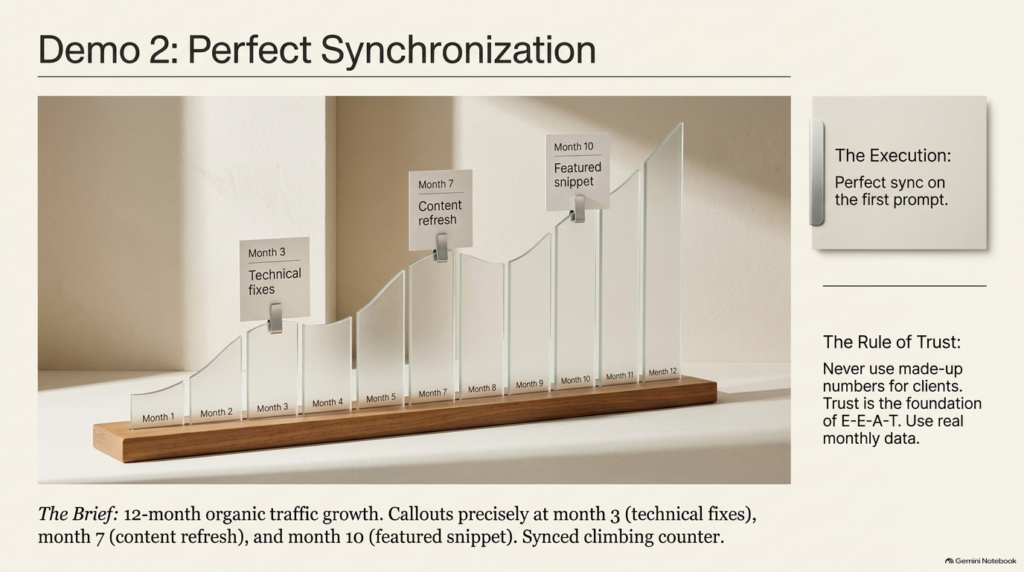
Here’s the thing, though, and it’s important. These were sample numbers, and Claude labeled the chart that way on its own. If you use this for a client, put in the real monthly data. Never show made-up numbers as real. That’s not just good practice, it’s the foundation of trust, and trust is the whole game in an E-E-A-T world.
Why does this matter for client reporting? Because a static graph in a PDF gets skimmed. A line that climbs, with the wins showing up exactly when they happened, gets understood. Ask yourself which of those two keeps a client around for another year.
The Vertical Promo and the One Sentence That Changed It
The third demo was the big one: a 15-second vertical promo for social with four scenes. A hook with a glitch effect. A dashboard sliding in. Feature icons. And a “start free” button that pulses.
Now the model has to plan the whole sequence, keep the same look across four scenes, handle the transitions, and lay it all out for a phone screen. That’s a lot of decisions that used to live in a designer’s head, and every one of them is a place where a project can drift off brand. Four scenes, one consistent look, built for vertical. And just so you know, the app in that promo is fictional. We were testing the format, not selling anything.
Here’s the part I really want you to remember. One prompt doesn’t mean one and done.
Sean sent a single follow-up sentence: same promo, but make it feel more premium, slower pacing, darker colors, and swap the glitch for a clean fade.
What came back ran 20 seconds instead of 15, on a near-black violet background, with the glitch gone. It even rewrote the music to match the calmer feel, and nobody asked it to do that. That’s the model taking initiative based on the direction it was given.
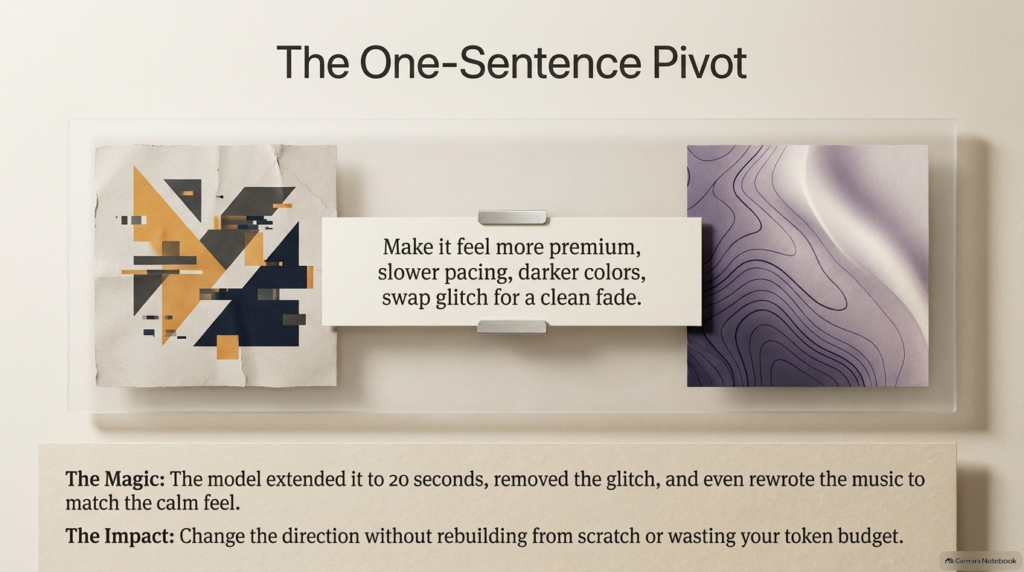
That’s the real value. You change the direction, you don’t start over. You don’t throw away the work you already have, and you don’t waste your token budget rebuilding from scratch. If you’ve ever sent a video back to an editor three times for “just a small tweak,” you know exactly how much that’s worth.
The Tool Was Never the Problem. The Brief Was.
Back in July, on our HyperFrames tip, one line stuck with me: the tool was never the problem, the brief was. Same thing today. Here are the three rules that made these prompts work.
Rule one: be specific about structure. How long, how many scenes, what happens in each one, and when. Give the model a skeleton and it plans way better. The traffic chart worked because the brief named month three, month seven, and month ten. Vague briefs get vague videos.
Rule two: describe the feeling, not just the content. Words like snap, drift, and premium do a lot of heavy lifting. They’re the difference between motion that looks generic and motion that looks designed. When Sean wrote that the letters should “snap into place with a little bounce,” he gave the model more useful direction than a paragraph of technical specs would have.
Rule three: lock the format from the start. Aspect ratio, look, colors. Say it in your first prompt so you’re not fixing it in your fifth.
What’s fascinating about this is that none of these rules are about AI. They’re the same rules a good creative director has always followed. The difference now is that the person executing the brief takes seconds, not days, which means the quality of your thinking is the bottleneck. Not your budget, and not your software.
This is the same principle behind the Universal Content Engine we use for written content. Structure in, quality out. Whether you’re producing an article or an animation, the system matters more than the tool.
From Demo to Brand Film
Here’s where this goes once you get comfortable. Using the exact same approach, write a clear brief and then direct it, Sean made a brand film for microSEO.ai, our own content platform.
That film tells a story I know well, because I lived it. In 2021, one Google update wiped out 80% of our traffic. We rebuilt how we rank, human-driven and AI-assisted, and it put us back on page one. Then ChatGPT launched. Six days straight, more than a hundred hours of prompt engineering. By the end of that week, we had a working system. That system became microSEO, the operating system behind our work.
I’ll be honest with you. Seeing that story told in motion, built from a brief rather than a production budget, hit differently. The story didn’t need a studio. It needed a clear brief and someone willing to direct it.
If you’ve followed our work on AI avatars and video SEO, you know I believe video is one of the most underused assets for visibility in both Google and AI search. The barrier was always production. That barrier just got a lot lower.
What to Do Next
Quick recap. April: Claude Code and an install. July: HyperFrames and about 30 minutes of setup. Today: one paragraph in an app you probably already have open.
If you make intros, explainers, or social clips, give this a try. Start small. A five-second logo sting is the perfect first test because you’ll see right away how much a specific brief changes the result. Then try a chart with real data, ideally a client’s actual monthly traffic, so you see how the callouts land on real wins. After that, move up to a short vertical promo and practice directing it with one follow-up sentence instead of rewriting the whole prompt. Describe the result you want to see, and you’ll be surprised how far one prompt takes you.
If you’re not sure which tasks in your business are worth handing to AI in the first place, start with the AI task audit I shared earlier this year. Anything recurring, formatted, and time-consuming is a candidate, and a lot of visual content fits that description.
All four of Sean’s prompts are in the video description, so you can copy them word for word or adapt them for your own brand. You can catch up on the rest of the series in the AI SEO Tips archive.
Stay safe and healthy.
Cheers,
Chris